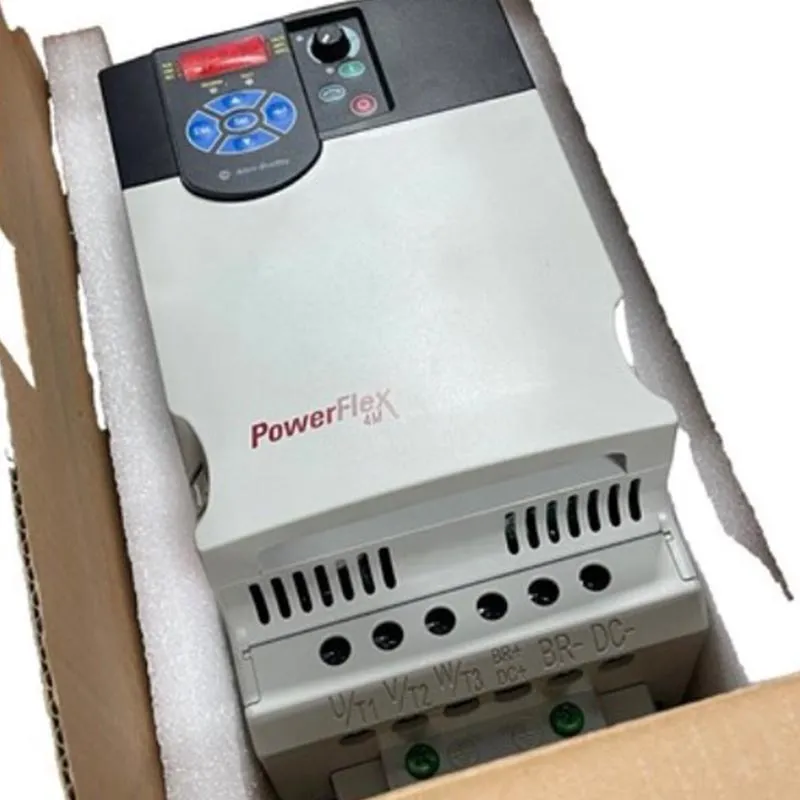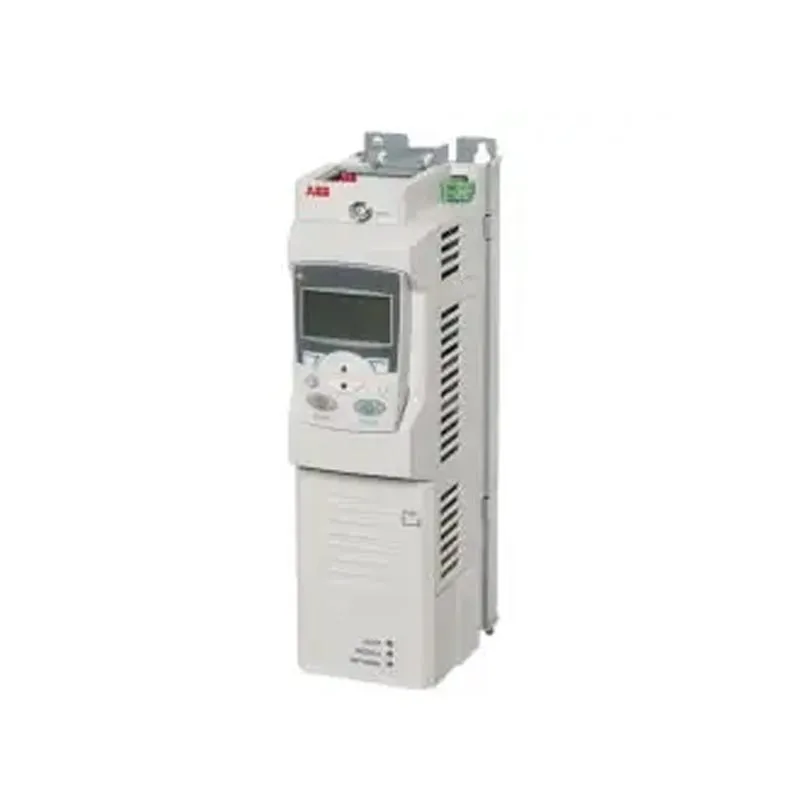
A system integrator is commissioning a new packaging line. The line includes a Allen-Bradley PLC, a third-party robot, a vision system, and a variable frequency drive from a different vendor. The physical installation is complete. The wiring is correct. The power is on. But the line will not run. The PLC cannot see the robot. The vision system is sending data in a format the PLC does not understand. The drive is responding to commands, but the feedback is not reaching the controller. The problem is not the hardware. It is the communication. The Allen-Bradley PLC is a powerful controller, but its ability to integrate with the surrounding equipment depends entirely on the communication architecture that connects them. For procurement managers and system integrators, understanding how Allen-Bradley PLC communication affects integration is not a technical detail. It is the factor that determines whether a project is completed on time or delayed by weeks of troubleshooting.
This guide is written for buyers who need to specify an Allen-Bradley PLC for an industrial integration project. We will examine the communication platforms available, the protocols that support them, the role of the engineering software in simplifying integration, and the criteria for selecting a supplier who can support the entire communication stack. We will also provide detailed product parameters from our factory at Yueyang Tongtu E-commerce Co., Ltd. Whether you are integrating a single machine or a plant-wide system, this guide will help you understand the communication decisions that determine whether your equipment works together or fails to connect.
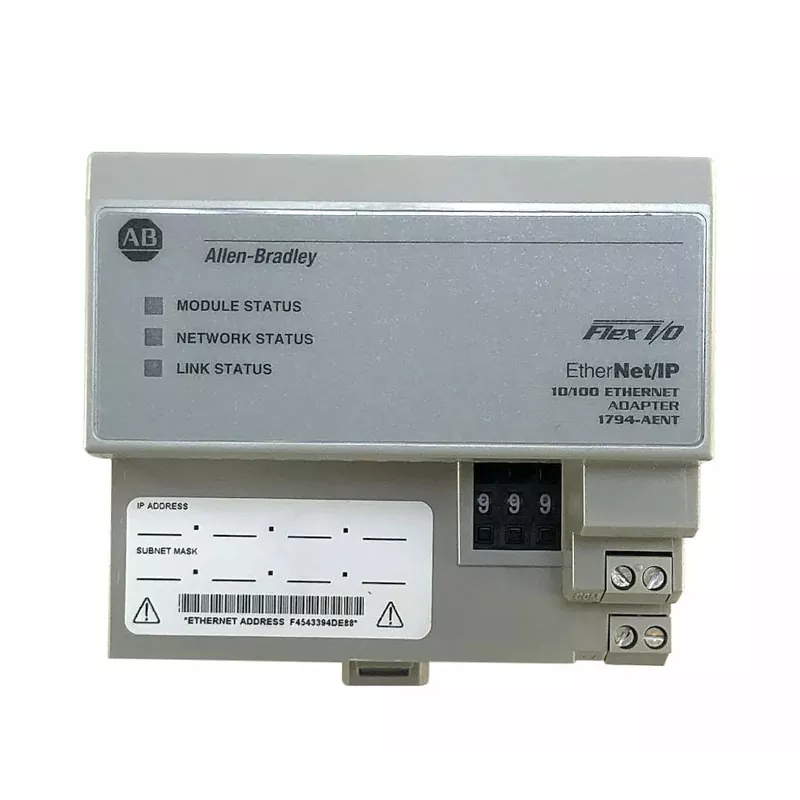
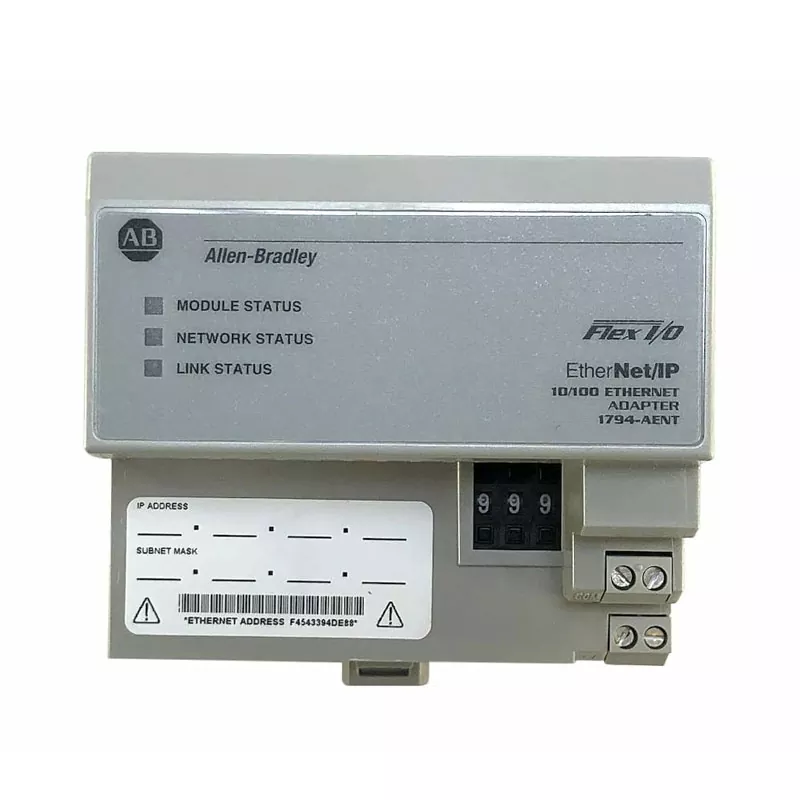
Allen-Bradley PLCs support a family of communication networks built on the Common Industrial Protocol (CIP). These networks are not interchangeable. Each has a specific role in the integration architecture, and the choice between them affects the performance, cost, and complexity of the entire system. The three primary CIP networks are EtherNet/IP, ControlNet, and DeviceNet. EtherNet/IP is the most versatile and widely used. It supports both real-time I/O messaging and message exchange, and it uses standard Ethernet hardware, which reduces cost and simplifies infrastructure. ControlNet is designed for high-throughput, deterministic applications where redundant media is required. DeviceNet is used for simple discrete devices, such as sensors and actuators, and it provides power and communication over a single cable. The table below summarizes the key characteristics of each network.
| Network | Primary Use | Performance | Device Support | Typical Integration Role |
| EtherNet/IP | Information and I/O, discrete and process | 100 MB / 1 GB, >100,000 pps | Unlimited | Plant-wide backbone, controller-to-controller, SCADA |
| ControlNet | Redundant media, process applications | Deterministic, high-throughput | Up to 99 nodes | Critical control, redundant I/O |
| DeviceNet | Discrete applications | Moderate | Up to 64 nodes | Simple devices, sensors, actuators |
At Yueyang Tongtu, our factory supplies Allen-Bradley PLC products and communication modules that support all three networks. We understand that the integration architecture is often a mix of these networks, with EtherNet/IP serving as the backbone and DeviceNet or ControlNet handling specific device groups. Our technical team can help you select the communication modules that match your integration requirements.
The protocol determines integration success because it defines what devices can communicate, how fast they can communicate, and how reliably the communication can be maintained under load. A PLC that supports EtherNet/IP can connect to a wide range of third-party devices that also support EtherNet/IP. A PLC that relies on a proprietary protocol can only connect to devices that support that protocol, which limits the integration options and increases cost. The protocol also determines the determinism of the communication. For motion control or safety applications, the communication must be deterministic—the data must arrive within a guaranteed time window. EtherNet/IP with CIP Motion or CIP Safety provides this determinism. For general I/O and information exchange, standard EtherNet/IP is sufficient. The table below summarizes the protocol selection criteria for common integration scenarios.
| Integration Scenario | Recommended Protocol | Reason |
| Third-party robot integration | EtherNet/IP | Wide device support, real-time messaging |
| Safety device integration | EtherNet/IP with CIP Safety | Deterministic, safety-rated communication |
| Simple sensor/actuator network | DeviceNet | Low cost, power and data on one cable |
| Redundant critical control | ControlNet | Deterministic, redundant media support |
| SCADA/MES data exchange | EtherNet/IP or OPC UA | Standard IT protocols, secure connectivity |
At our factory, we help our customers select the right protocol for their integration project by analyzing the device list, the performance requirements, and the existing infrastructure. We also supply the communication modules—such as the 1756-EN2T for EtherNet/IP, the 1756-CN2 for ControlNet, and the 1756-DNB for DeviceNet—that enable the PLC to connect to each network.
The engineering software is as important as the hardware when it comes to integration. Studio 5000, the programming environment for Allen-Bradley Logix-based controllers, includes a feature called Premier Integration that simplifies the configuration of Allen-Bradley devices. When a device such as a PowerFlex drive is added to the project, Studio 5000 automatically imports its device profile, including all parameters, tag names, and configuration settings. The engineer no longer needs to manually map parameter numbers or cross-reference manuals. This reduces configuration time and eliminates a common source of integration errors. The table below summarizes the Premier Integration features that affect integration time and cost.
| Feature | Integration Benefit | Time Savings |
| Automatic device profile import | No manual parameter mapping | Hours per device |
| Configuration wizards | Guided setup for device parameters | Reduced commissioning time |
| Tag aliasing | Program before hardware arrives | Parallel development |
| Copy and paste for duplicate devices | Replicate configuration for identical devices | Minutes instead of hours |
| Library management | Reuse code across projects | Reduced engineering effort |
At Yueyang Tongtu E-commerce Co., Ltd., we support our customers with Studio 5000 configuration and device integration. We understand that the software is the bridge between the PLC and the field devices, and we help our customers use it effectively to reduce integration time and avoid costly errors.
Communication failure during integration is one of the most common causes of project delays. The symptoms are often confusing: the PLC is running, the devices are powered, but the data is not flowing. The root cause can be a protocol mismatch, an incorrect IP address, a missing device profile, a network switch configuration error, or a firmware incompatibility. Diagnosing these issues requires a systematic approach. The first step is to verify the physical connection—cables, connectors, and link lights. The second step is to verify the network configuration—IP addresses, subnet masks, and gateway settings. The third step is to verify the device configuration—the device must be configured to communicate on the same protocol and at the same baud rate or network speed as the PLC. The fourth step is to verify the software configuration—the device must be added to the Studio 5000 project with the correct profile. The table below summarizes the common communication failure modes and their diagnostic steps.
| Failure Mode | Symptom | Diagnostic Step |
| Protocol mismatch | Device not visible in PLC | Verify both support the same protocol |
| IP address conflict | Intermittent communication | Check network configuration |
| Missing device profile | Device appears but data is invalid | Install correct EDS or AOP file |
| Firmware incompatibility | Device works but some features fail | Verify firmware compatibility matrix |
| Network switch misconfiguration | High latency or packet loss | Check switch settings, VLAN, QoS |
At our factory, we provide technical support to help our customers diagnose and resolve communication issues during integration. We can supply the correct communication modules, device profiles, and firmware versions for your specific Allen-Bradley PLC configuration. Our goal is to help you avoid the delays that communication failures cause.
Evaluating a supplier for Allen-Bradley PLC communication support requires more than checking the price list. The supplier must have the technical knowledge to recommend the right communication modules, the inventory to supply them quickly, and the support capability to assist with integration issues. The key criteria are product knowledge, inventory depth, technical support, and documentation. Product knowledge means the supplier understands the differences between EtherNet/IP, ControlNet, and DeviceNet, and can recommend the right module for the application. Inventory depth means the supplier stocks the common communication modules and can ship them without long lead times. Technical support means the supplier can assist with configuration and troubleshooting. Documentation means the supplier provides the datasheets, manuals, and certificates needed for the project. The table below summarizes these evaluation criteria.
| Evaluation Criterion | What to Look For | Why It Matters |
| Product Knowledge | Familiarity with CIP networks and modules | Ensures the right module for the application |
| Inventory Depth | Stock of common communication modules | Reduces lead time and project delays |
| Technical Support | Configuration and troubleshooting assistance | Resolves integration issues quickly |
| Documentation | Datasheets, manuals, certificates | Supports project documentation and compliance |
At Yueyang Tongtu E-commerce Co., Ltd., our factory has been supplying Allen-Bradley PLC products and communication modules to industrial customers for over a decade. We maintain an inventory of common modules, and we provide technical support to help our customers with configuration and integration. We are committed to supplying genuine products with full traceability. We invite you to evaluate us against these criteria and to consider us as your partner for Allen-Bradley PLC communication products.
The following table provides the key product parameters for the Allen-Bradley PLC communication modules we supply. These modules are suitable for integration projects across a range of industries. Our factory can also source other modules and accessories to meet specific requirements.
| Parameter | Specification Range | Notes |
| Communication Networks | EtherNet/IP, ControlNet, DeviceNet | Selected for integration architecture |
| EtherNet/IP Modules | 1756-EN2T, 1756-EN2TR, 1756-EN3TR | Standard, redundant, and secure options |
| ControlNet Modules | 1756-CN2, 1756-CN2R | Standard and redundant media support |
| DeviceNet Modules | 1756-DNB | Up to 64 nodes |
| EtherNet/IP Performance | 100 MB / 1 GB, >100,000 pps | Supports real-time I/O and messaging |
| Logix Connections | 128 or 256 (module dependent) | Selected for system size |
| Operating Temperature | 0°C to +60°C (standard) | XT versions for extreme environments |
| Certifications | CE, UL, cUL | Selected for regional requirements |
At our factory, we supply Allen-Bradley PLC communication modules to meet these specifications and more. We can source specific models based on your integration requirements. Our quality control process includes verification of product authenticity and inspection before shipment. Our goal is to provide our customers with genuine Allen-Bradley communication modules that meet their integration needs.
Question 1: Which Allen-Bradley PLC communication protocol is best for integrating a third-party robot?
Answer: EtherNet/IP is generally the best choice for integrating a third-party robot. It is an open standard with wide device support, and it supports both real-time I/O messaging and message exchange. Many robot manufacturers offer EtherNet/IP interfaces, and the Allen-Bradley PLC can communicate with the robot using standard EtherNet/IP modules. ControlNet and DeviceNet are less suitable for robot integration because they have narrower device support and lower flexibility.
Question 2: What is the difference between EtherNet/IP and ControlNet for Allen-Bradley PLC integration?
Answer: EtherNet/IP uses standard Ethernet hardware and supports both real-time I/O and information exchange. It is the most versatile network and is suitable for plant-wide integration. ControlNet is a deterministic network designed for high-throughput, redundant control applications. It uses specialized media and is typically used for critical I/O and peer-to-peer control where determinism and redundancy are required. EtherNet/IP is the more common choice for new integration projects.
Question 3: How does Studio 5000 help with device integration?
Answer: Studio 5000 includes Premier Integration, which automatically imports device profiles for Allen-Bradley devices. When a device such as a PowerFlex drive is added to the project, its parameters and tag names are populated automatically, eliminating manual mapping and reducing configuration time. The software also includes configuration wizards, tag aliasing, and copy-paste capabilities that speed up integration and reduce errors.
Question 4: What should I do if the PLC cannot see a device on the network?
Answer: First, verify the physical connection—check cables, connectors, and link lights. Second, verify the network configuration—check IP addresses and subnet masks. Third, verify that the device is configured to communicate on the same protocol as the PLC. Fourth, verify that the device profile is installed in Studio 5000. If the issue persists, check the network switch configuration and the firmware compatibility between the PLC and the device.
Question 5: Can Yueyang Tongtu E-commerce Co., Ltd. provide technical support for communication module selection?
Answer: Yes. We provide technical support to help our customers select the right communication modules for their Allen-Bradley PLC integration projects. We can advise on the appropriate network, the module model, and the configuration requirements. We also supply the modules and provide documentation to support your project. Contact our technical team to discuss your specific integration requirements.
Allen-Bradley PLC communication is the factor that determines whether an industrial integration project succeeds or fails. The choice of protocol, the configuration of the communication modules, and the capabilities of the engineering software all affect the ability of the PLC to connect with the surrounding equipment. EtherNet/IP provides the most versatile and widely supported platform for integration, while ControlNet and DeviceNet serve specific roles in critical control and simple device networks. Studio 5000 simplifies the configuration process and reduces the time required to bring a system online. At Yueyang Tongtu E-commerce Co., Ltd., our factory supplies Allen-Bradley PLC communication modules and provides the technical support that our customers need to complete their integration projects successfully.
Whether you are integrating a single machine or a plant-wide system, we invite you to contact us to discuss your communication requirements. We can provide product selection assistance, technical data, and competitive pricing. Our commitment to quality and customer service has made us a trusted partner for industrial automation buyers.
Contact Yueyang Tongtu E-commerce Co., Ltd. today to discuss your Allen-Bradley PLC communication requirements and discover how our products and support can ensure a successful integration.
-